How to Get Better Results from ChatGPT
Improve your ChatGPT prompts using system instructions, structural constraints, and iterative refinement for more accurate and helpful AI outputs.

Some links are affiliate links: we may earn a commission if you sign up or buy through them, at no extra cost to you.
On this page8 sections
The short answer
- Define a clear professional persona for ChatGPT to establish tone, expertise level, and language style.
- Use strict markdown boundaries, structures, and negative constraints to control how the output is formatted.
- Treat responses as drafts and use iterative conversational refinement to shape the final results.
To get better results from ChatGPT, you must provide specific context, assign a clear role, and set explicit constraints for the output format. Refining your prompt structure ensures the AI generates highly accurate, relevant answers rather than generic or superficial responses. Many users treat the chatbot as a simple search engine, typing brief queries and expecting flawless articles, code, or strategies. However, treating the interface as a collaborative assistant yields far superior results. By understanding the mechanics of prompt engineering, you can transform vague outputs into highly targeted assets. Depending on whether you use the free version or a paid tier, the underlying model changes, which directly impacts reasoning capabilities. For a full breakdown of these options, check out our ChatGPT Review 2026: Pricing, Free Plan and Who It's For.
The quick version
- Identify your desired outcome
- Assign a specific professional persona
- Provide the necessary background context
- Establish formatting and structural constrai…
- Review and refine the output iteratively
The Anatomy of a Structured Prompt
Writing a prompt is like briefing a human colleague. If you give minimal instructions, you will get a generalized response that requires heavy editing. A structured prompt consists of four primary components: the role, the task, the context, and the constraints. When you combine these elements, the AI understands not just what to write, but how to write it. Instead of asking for a summary of a topic, specify who is writing and who the audience is. This keeps the tone consistent and prevents the model from generating overly academic or excessively casual text. Setting boundaries on length, style, and structure forces the model to edit its own draft before presenting it to you. Organizing your input logically also helps the model parse your request. Use clear headers or labels to separate background information from the direct instructions you want the system to execute. This methodical approach ensures that the model focuses on the most critical parts of your instructions first, resulting in a cleaner and more professional output.
Assigning Roles and Personas
To steer the style of your output, you must assign a clear role to the AI. When you tell the software to act as a senior copywriter, a technical support specialist, or a primary school teacher, it adjusts its vocabulary, sentence structure, and perspective accordingly. For example, asking the system to explain a complex software update as a software engineer will yield technical terms and architecture details. Asking it to explain the same update as a product marketing manager will focus on user benefits and feature positioning. This simple shift saves hours of rewriting and tone adjustments later. Be highly specific when defining this role. Do not just say expert; define the domain, the years of experience, and the typical mindset. This helps the large language model narrow down its vast training data to the specific stylistic patterns that fit your project. Giving the AI a target reader profile helps it determine which terms require explanation and which can be assumed as common knowledge.
How to Build Your Prompts Step-by-Step
Follow these practical steps to build highly effective prompts that get the right output on your first attempt.
- Identify your desired outcome. Determine exactly what you need the system to produce, whether it is a checklist, an email draft, or a code block.
- Assign a specific professional persona. Tell the tool who it represents to establish the correct tone, expertise level, and terminology.
- Provide the necessary background context. Input any relevant source material, reference documents, or historical details the system must consider.
- Establish formatting and structural constraints. Request specific outputs such as tables, bullet lists, or a strict limit on word count.
- Review and refine the output iteratively. Ask the software to adjust sections, change tones, or expand on thin points rather than starting over.
Establishing Formatting and Output Constraints
One of the most common issues with AI tools is receiving a wall of unbroken text. You can completely avoid this by telling the software exactly how to organize the information. You can request formats like bulleted lists, chronological tables, or even code blocks. To make these constraints stick, use markdown formatting in your prompt. You can use hashtags for headers, asterisks for lists, and bracketed sections to separate your data. When you show the model how you want the data structured, it mimics that layout in its final response. Additionally, set explicit negative constraints. Tell the AI what not to do. For instance, you can instruct it to avoid certain buzzwords, omit introductory pleasantries, or skip summarizing the prompt at the beginning of its reply. These constraints prevent the interface from adding unnecessary fluff, making the final copy immediately usable for your professional needs.
Refining Outputs Through Iterative Dialogue
Getting the best result rarely happens on the first try. Instead of abandoning a prompt when the output is slightly off, use iterative refinement to guide the tool. Think of the initial output as a rough draft that you can shape through ongoing conversation. If a response is too long, ask the model to shorten it by half. If the tone is too formal, instruct it to rewrite the passage with a conversational, direct voice. You can also point out specific sentences that missed the mark and explain why they do not work, allowing the system to correct its errors. This interactive process is especially powerful when working on complex analytical tasks. By breaking a large project into smaller steps, you can approve each stage before moving to the next. For details on how different tiers handle these long-form conversations, check out our ChatGPT Review 2026: Pricing, Free Plan and Who It's For.
Finding the Right Path for Your Needs
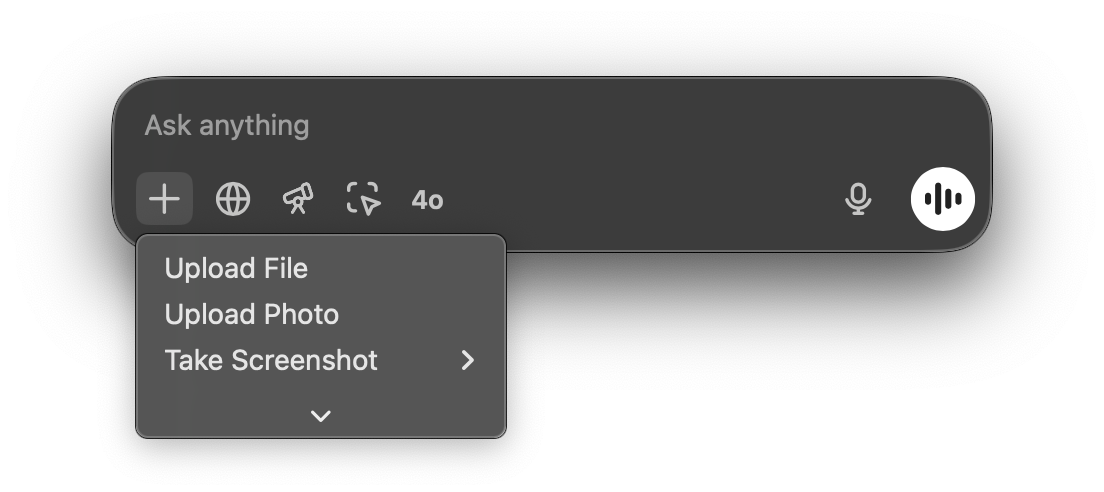
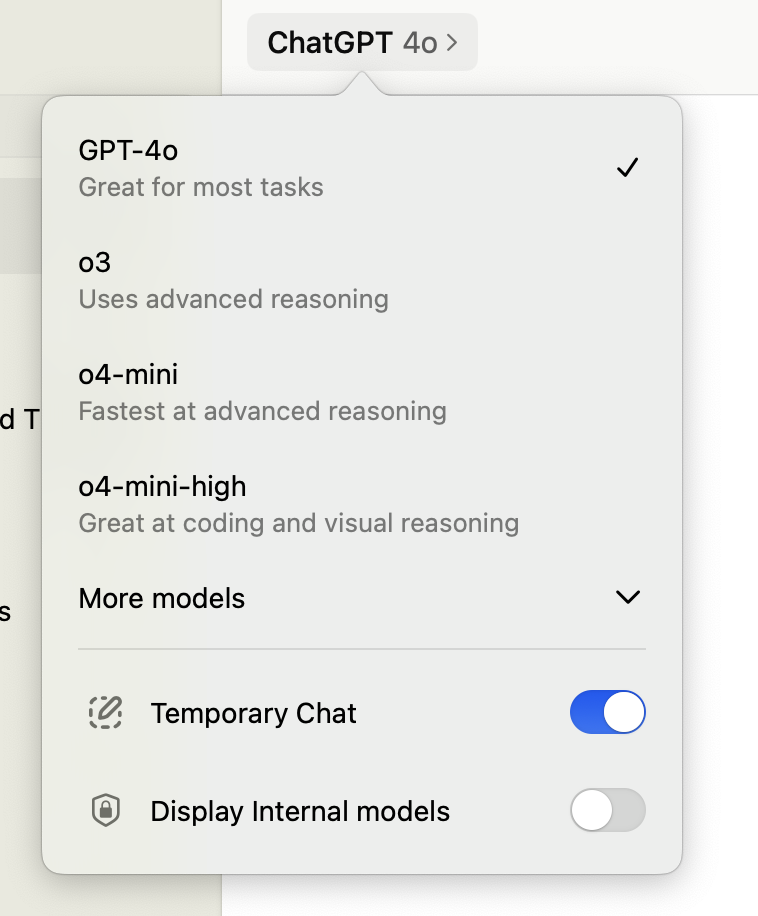
Choosing how to interact with the software depends largely on the complexity of your daily tasks. If you only need quick answers to factual questions, a simple, direct prompt in the free tier is usually sufficient. However, if your work involves complex data analysis, coding, or deep logical reasoning, you must decide which tool fits your workflow best. For standard creative writing and everyday organization, the classic GPT models are fast and highly responsive. For advanced math, complex coding structures, or multi-step logic problems, you may want to look into reasoning-focused models. These models pause to think through problems step-by-step before displaying their final answer, reducing logical errors. If you are unsure which tier or model fits your workflow, our comprehensive ChatGPT Review 2026: Pricing, Free Plan and Who It's For breaks down the differences between the free interface and the premium subscriptions. This guide will help you decide if the advanced features are worth the investment for your business.
Frequently asked

Some links are affiliate links: we may earn a commission if you sign up or buy through them, at no extra cost to you. Affiliate disclosure