
AI Video Tools
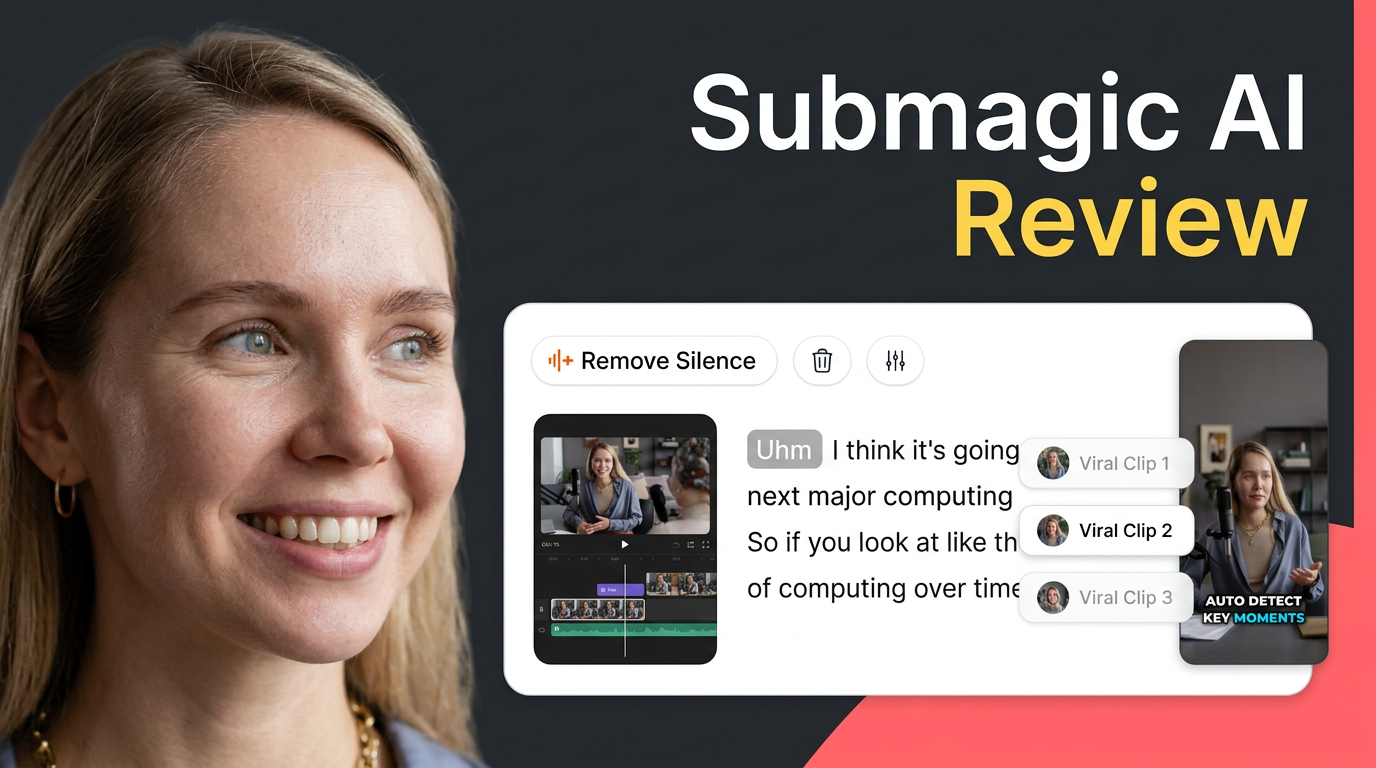
Submagic Review: Is This AI Video Editor Worth It in 2026?
In our editorial assessment, Submagic merits consideration for recurring short-video production, but output quality and current plan terms should decide whether you subscribe.
Disclosure: Some links are affiliate links: we may earn a commission if you sign up or buy through them, at no extra cost to you.
Submagic - Edit shorts 10x faster
Visit SubmagicPaid link. Plans and availability can change — check the official website.
What's inside
Everything you get with Submagic - Edit shorts 10x faster




On this page13 sections
- 1Why this choice matters
- 2Analyzing the Target Audience: Who Is This Submagic Review Written For?
- 3Captions and Smart Edits: Exploring Core Production Features
- 4Workflow Expansion: From Long-Form Source Video to Multi-Channel Publishing
- 5Comparing the Models: How Submagic Alternatives Stack Up
- 6How to Choose: Evaluating Correction Effort and Plans Before You Subscribe
- 7Our Final Submagic Review Verdict: Is It Worth It?
- 8Submagic walkthrough: clean a talking-head clip
- 9Submagic b-roll: make supporting footage fit the message
- 10From one source video to several useful shorts
- 11The verdict
- 12FAQ
- 13How we selected
In short
- Submagic targets creators, brand managers, and businesses needing to repurpose long-form content for social platforms.
- The tool offers AI-generated captions, automated b-roll, clip scheduling, and team collaboration features for workflows.
- Potential users should prioritize checking their specific production needs against available manual editing control options.
In our editorial assessment, Submagic is worth considering if you regularly turn recorded material into short social videos; skip a purchase for now if you need verified output quality or detailed editing controls before committing. This is an analytical editorial review based on the official website and documented features. Published plans were not included in the supplied evidence, and we did not personally test the product. Let us dive deep into what this tool promises and how it matches real-world creation needs.
Why this choice matters
The problem
You want to edit shorts without repeatedly handling captions, supporting footage, and publishing as separate chores. In our editorial assessment, the main buying mistake is choosing by an advertised speed claim rather than checking how much correction your own videos require.
How to solve it
The deciding criterion is workflow fit: whether a tool handles your recurring tasks while leaving you with an acceptable amount of review and correction. Choose around your source material, caption requirements, and publishing destinations—not the longest feature list.
What you get
- A clearer match between your source videos and editing workflow.
- Caption requirements checked before you commit.
- A purchasing decision based on correction effort rather than speed claims.
- Publishing needs considered alongside editing needs.
What we liked
- According to Submagic, captions, supporting footage, and AI-assisted editing are offered together.
- According to Submagic, one source video can become multiple shorts.
- According to Submagic, subtitle generation supports multiple languages.
- According to Submagic, scheduling, publishing, and collaboration extend the editing workflow.
What could be better
- The supplied evidence does not establish caption accuracy or automated editing quality.
- Current pricing and plan restrictions remain unverified.
- Specific languages and publishing destinations need confirmation.
- Available manual adjustments and team controls need confirmation.
Analyzing the Target Audience: Who Is This Submagic Review Written For?
According to Submagic, creators can start their workflow with an uploaded video or a direct YouTube link, generate multiple short clips from a single long video, and schedule publication across multiple social channels. In our editorial assessment, this functionality makes the platform most relevant to creators, brand managers, and businesses that have a recurring supply of long-form material to repurpose. It is not designed for someone who simply needs to trim an occasional video clip.
In our editorial assessment, repeatable production is the strongest reason to consider this tool. Buyers whose purchasing decisions depend on precise manual editing controls or highly detailed frame-by-frame adjustments should defer purchasing until they can verify those controls directly on the official website. The currently available evidence establishes the broad workflow of the platform rather than the depth or flexibility of every individual editing function.
If your goal is to feed a continuous queue of content into short-form channels like TikTok, YouTube Shorts, or Instagram Reels, a streamlined automated system could save you substantial administrative time. However, if you are a professional editor who requires pixel-perfect accuracy and complex timeline tracks, you may find that an automated assistant does not replace your primary editing suite.
Captions and Smart Edits: Exploring Core Production Features
According to Submagic, its editing features include AI-generated captions, multiple preset caption styles, and subtitle generation across multiple languages. Captions present speech as highly visible on-screen text to keep viewers engaged. In our editorial assessment, the most important buying question to ask is how much correction your actual spoken audio requires, rather than how attractive a caption style looks in a promotional website example.
According to Submagic, the software also offers automated b-roll, which refers to supporting footage used alongside the main shot, as well as AI-assisted edits. In our editorial assessment, these automated features address highly useful production tasks, but their ultimate value depends entirely on whether the selected supporting footage suits your specific message and whether the edits preserve its original meaning.
The supplied evidence does not establish the baseline accuracy of the captions, the overall quality of the footage selection, or the depth of manual adjustments available to the user after an automated edit has been completed. When evaluating these visual elements, we highly recommend checking whether the auto-generated wording and selected visual shots preserve the exact context you want your viewers to take away.
See the current product and plans on the official partner site.
Visit SubmagicWorkflow Expansion: From Long-Form Source Video to Multi-Channel Publishing
According to Submagic, the tool can generate several shorts from a single source video and offers built-in scheduling and publishing capabilities across various social media channels. In our editorial assessment, you should evaluate clip selection and publishing functions separately. A useful excerpt requires enough context to stand alone as an independent piece of content, while a publishing scheduler only matters if the specific social destinations you use are fully supported by the system.
According to Submagic, the service also offers AI avatars, which are generated presenters designed for creating short videos without the need for filming yourself. Additionally, a shared workspace is provided for team collaboration and maintaining brand consistency. In our editorial assessment, these generated avatars serve a fundamentally different production need compared to repurposing your existing recorded footage, so they should not be treated as a substitute for good excerpt selection.
Team buyers should carefully check the specific collaboration features, permission tiers, and brand control settings on the official website before treating the shared workspace as a primary buying reason. Because the workflow spans both source-video repurposing and avatar-based creation, you should prioritize the specific entry point that matches your actual daily workload, whether that means working from existing files or generating synthetic presentations from scratch.
See the current product and plans on the official partner site.
Visit SubmagicComparing the Models: How Submagic Alternatives Stack Up
This review covers one product, so a direct model-by-model comparison with other specific software would imply evidence we do not currently have. According to Submagic, its comprehensive offering spans captions, supporting footage, automated edits, clip repurposing, scheduled publishing, AI avatars, and team collaboration. In our editorial assessment, the major buying distinction is the sheer breadth of this automated workflow versus your actual daily production needs, rather than a verified performance advantage over a named competitor.
For a purchase focused primarily on captions, you should compare language support, text readability, and the amount of manual correction effort required across different tools. For a repurposing workflow, compare whether the resulting clips make clear sense without the context of the original long-form video. For a team-oriented setup, compare the documented collaboration and publishing controls of each tool under consideration, as the supplied evidence does not establish how this brand performs against alternatives on these specific administrative points.
In our editorial assessment, a conventional manual editing workflow deserves consideration when deliberate shot-by-shot decisions and creative transitions matter more than raw speed. Conversely, a narrower caption-focused tool deserves consideration when adding subtitles is your only recurring post-production task. Neither of these routes is inherently superior, so you should avoid paying for a broad, multi-featured platform if you do not expect to use its full suite of capabilities.
How to Choose: Evaluating Correction Effort and Plans Before You Subscribe
To choose the right editing setup, you should start with the task you repeat most often. According to Submagic, uploaded videos and direct YouTube links are supported starting points, and multilingual subtitles are a core part of its offering. In our editorial assessment, your own source material should drive this decision. You should verify the specific languages you need and examine representative output for proper nouns, specialized vocabulary, and logical clip boundaries before committing.
Next, separate overall feature availability from usable control. According to Submagic, customizable caption styles, AI-assisted editing, and brand-focused collaboration are offered. We suggest checking which settings you can manually adjust, what the current subscription plans include, and whether the publishing destinations align with your social media routine. The supplied evidence does not establish pricing tiers, plan restrictions, or the exact details of these user controls.
Finally, treat any marketing claims regarding speed and audience growth as brand goals rather than measured results. In our editorial assessment, true value depends on the balance between subscription cost, usable output quality, and the manual correction effort required. Faster first drafts are helpful, but they do not by themselves guarantee better finished videos or increased audience reach. Confirm all pricing terms and plan limits on the official website before finalizing your choice.
Ready to look at it yourself? Paid link — price and availability change.
Visit SubmagicOur Final Submagic Review Verdict: Is It Worth It?
In our editorial assessment, Submagic is a credible candidate for recurring short-video production because its documented feature set connects several related creative tasks into a single platform. We suggest considering it primarily for workflow consolidation rather than for any promised growth metrics. Buyers with infrequent editing needs or those who require verified, fine-grained control over every frame should hold off until more detailed technical performance is confirmed.
Our editorial rating is 4.4 out of 5 stars, based on documented creator-workflow coverage and potential usefulness, while weighing output quality, ease of use, and overall value as unverified purchase criteria. This is a feature-based assessment rather than a measured performance score. The limited available evidence regarding finished output and current pricing plans keeps our recommendation conditional on your personal verification of the tool.
Submagic walkthrough: clean a talking-head clip
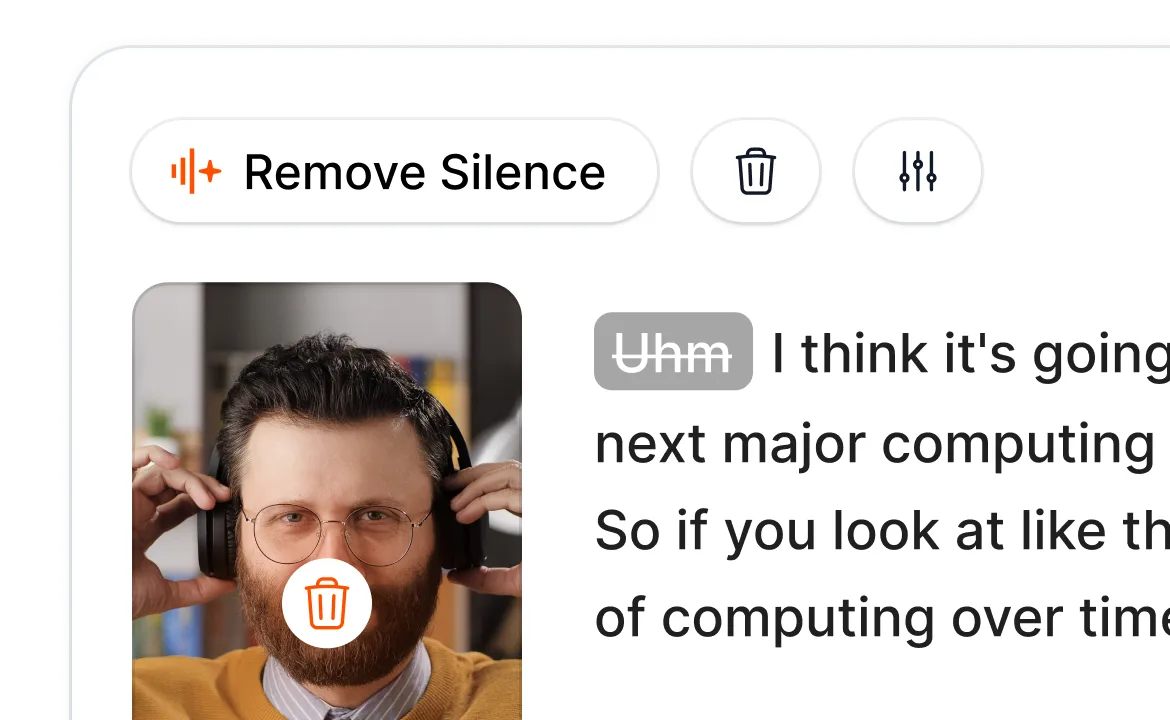
Start with a short recording whose sound is clear. In the official interface example, Remove Silence works alongside a transcript view, making pauses and spoken words visible together. Review proposed cuts before accepting them: removing every pause can make a presenter sound rushed or remove emphasis.
Next, check names, numbers and specialist terms in the captions. Choose a readable style and keep important words away from the lower edge, where social apps place their own controls. Preview the finished clip with sound off as well as on. This is a suggested evaluation workflow, not a measured speed or accuracy test.
Submagic b-roll: make supporting footage fit the message
B-roll adds supporting visuals around the main recording. The official examples show illustrated footage choices, but an attractive shot is not necessarily an accurate one. For a product demonstration, prefer your own product footage when a generic scene could imply a result you have not shown.
Check each inserted visual against the sentence it accompanies. Keep the speaker visible when their expression carries the point, and avoid rapid changes that make captions hard to follow. Review asset permissions and plan access before publishing commercial work.
See the current product and plans on the official partner site.
Visit SubmagicFrom one source video to several useful shorts
Magic Clips is Submagic’s long-to-short workflow. Evaluate candidate excerpts for a clear opening, a complete idea and enough context to stand alone. A clip that begins with an unexplained pronoun or ends before the answer may need a different boundary.
Make each short serve a different audience question instead of exporting near-identical highlights. Finish by reviewing caption placement, audio continuity and framing for the destination you intend to use. Automatic selection supports the first pass; the creator still approves the message and final cut.
See the current product and plans on the official partner site.
Visit SubmagicBottom line
The verdict
In our editorial assessment, consider Submagic if you repeatedly produce short videos and want to consolidate several related production tasks into a single automated workflow. However, we advise holding off if you require proven output quality, fine-grained timeline controls, or confirmed pricing value before committing. These specific questions require real-world verification beyond the brand's documented feature descriptions, so checking current subscription terms and testing your own audio files is highly recommended.
Questions
Frequently asked questions
Transparency
How we selected these ai video tools
- We start with the product’s official website and documented feature pages.
- We compare the published workflow, plans and limitations with the needs of the intended user.
- We verify time-sensitive details on the official website before publishing.
- We do not claim hands-on testing unless the article documents it explicitly.
We researched these ai video tools using the official website, documented features and published plans; we did not run a hands-on lab test. The Pickveo score reflects workflow, usability, limitations and fit for the intended user.
Written by Pickveo Editorial Team
Pickveo editors review official product information, documented features and published plans to help readers choose software confidently. We do not claim hands-on testing unless explicitly stated.
Products last checked on .
Affiliate disclosure & transparency
Some links are affiliate links: we may earn a commission if you sign up or buy through them, at no extra cost to you.
Editorial review, not a hands-on test. We did not personally test this product. This review is based on the official website, published plans and features. The Pickveo score weighs workflow, usability, documented limitations and fit for the intended user.
Our recommendations are based on documented features, workflow and suitability. Plans and availability can change, so verify current details on the official website before subscribing.