What Are the Best Fliki Alternatives for AI Video?
Discover the top alternative platforms for script-to-video editing, featuring advanced voice generation and custom timeline features.
Some links are affiliate links: we may earn a commission if you sign up or buy through them, at no extra cost to you.
On this page8 sections
The short answer
- Choose timeline-driven tools for precise video control.
- Select avatar-focused platforms for studio-style presenter projects.
- Prioritize dedicated voice synthesis tools for supreme audio quality.
The best Fliki alternatives are InVideo, Synthesia, HeyGen, and ElevenLabs, each offering distinct layouts for generating marketing and training materials. Choosing the right tool depends entirely on whether your workflow requires advanced timeline editing, hyper-realistic digital speakers, or specialized voice models.
While Fliki is highly regarded for its straightforward, text-block approach, other platforms provide different control layouts and asset management structures. Understanding these visual and functional differences will help you transition your video production process smoothly without losing valuable creation hours.
The quick version
- Export your text outlines
- Consolidate your voice assets
- Gather your media elements
- Set up the new editor
- Adjust the voice timings
The Text-to-Video Script Editor Workspace
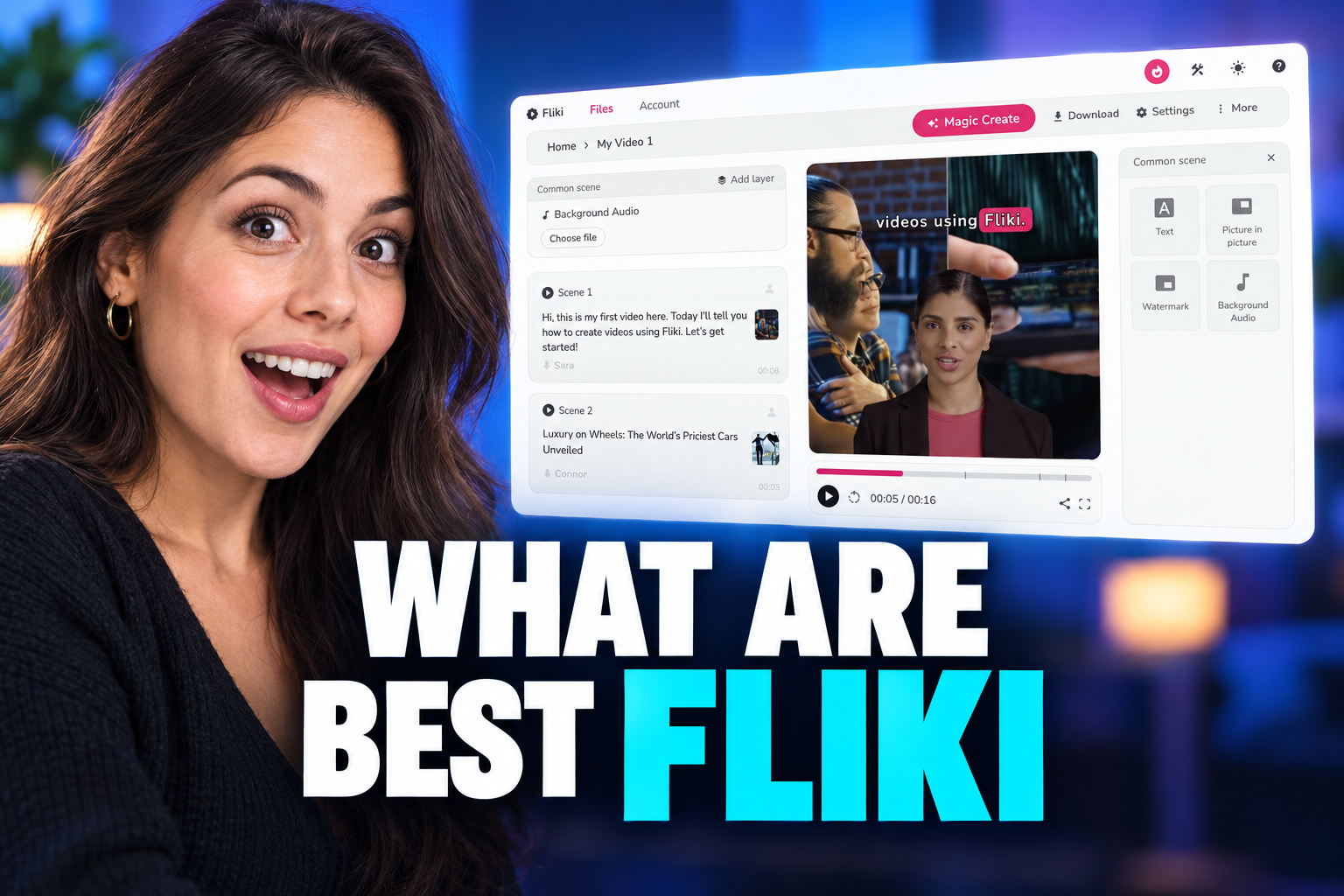
When you open Fliki, the editor centers on a text-based storyboard layout where every script paragraph maps directly to a visual scene block. This system works well for rapid publishing, but creators who require granular visual pacing often find it limiting. Alternatives like InVideo swap this narrative list for a traditional non-linear editors (NLE) interface, showing tracks for background audio, overlay text, and media transitions.
If you find that the script-to-video editor in Fliki lacks deep timeline customization, as outlined in our Fliki Review 2026: Pricing, Credits and Who It's For, a timeline-centric alternative might fit your creative workflow better. In these alternative layouts, you drag the boundaries of individual video clips to trim them frame-by-frame. This level of precise timing control is difficult to achieve inside a structured text-block storyboard.
Changing the editor layout also changes how your computer processes video previews. Text-block systems load previews scene by scene, which reduces lag on older machines. Traditional timeline alternatives stream all layers concurrently, giving you a real-time view of your text overlays, voice-overs, and animations playing at the exact same millisecond.
The AI Avatar and Presenter Generation Screen
For videos requiring a talking presenter, the main generation panel is where competing platforms diverge significantly from Fliki. While Fliki relies on a simplified block-based script setup, which we detail in our comprehensive Fliki Review 2026: Pricing, Credits and Who It's For, specialized competitor interfaces like Synthesia are built entirely around the digital avatars canvas.
Inside these presenter-first workspaces, you place a high-definition human model on the screen as a customizable layer. You can drag to resize the speaker, position them in a circular talking head format, or set them full-screen. The script is entered in a lower prompt panel, and the platform automatically calculates facial movements, eye blinks, and natural hand gestures to match the audio waveform.
This workflow is highly advantageous for corporate training modules and formal presentations. The control panel usually contains specific triggers to insert pauses, force physical gestures like a head nod, or alter the emotional delivery of specific sentences. This level of physical expression control is absent from basic automated slides.
Voice Synthesis and Audio Control Panels
The quality of text-to-speech (TTS) engines can vary drastically across AI video suites. Fliki offers a broad library of voices, but creators searching for pristine vocal dynamics often look toward dedicated audio engines like ElevenLabs. The interface in a dedicated voice platform focuses strictly on phoneme editing, pacing, and accent adjustment controls.
In these specialized audio panels, you can use stability and clarity sliders to refine the delivery of your script. Instead of accepting an automated robotic cadence, you can regenerate specific words, adjust the pitch, or import your own recordings to create a highly accurate voice clone. This attention to acoustic detail is ideal for long-form audiobooks or documentary-style narrations.
Moving to an external voice-over engine means you will need to handle your production in two stages. First, you export the finished high-fidelity audio file from your speech editor. Then, you import that file into your video editing suite to match the visuals, creating a multi-tool pipeline rather than using an all-in-one generator.
Media Library and Asset Management Systems
A critical part of the editing workspace is how the program suggests and organizes visual assets. When you input a text prompt, the software searches integrated databases to suggest relevant b-roll footage. Fliki uses an automated matching system that analyzes key terms in your script sentences to populate your blocks.
Some alternative platforms offer an active split-screen media pool where you can organize uploaded brand logos, custom graphics, and stock videos into designated project folders. These libraries also include advanced filters, allowing you to search by aspect ratio, color palette, or camera angle. Having access to structured folders makes managing complex campaigns far easier than working with a single chronological asset feed.
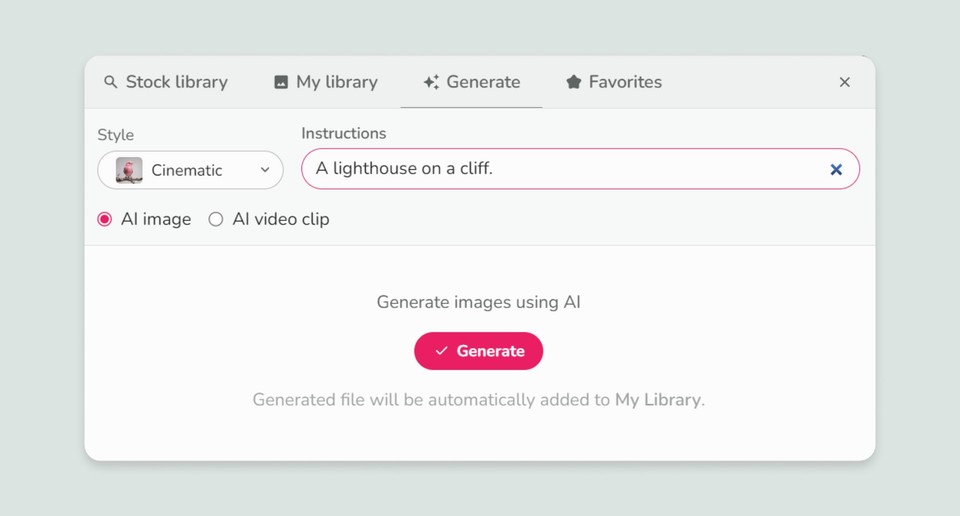
Additionally, the integrated AI image generation panels in these alternatives often provide advanced styling controls. Instead of typing basic prompts, you can choose pre-set artistic filters, aspect ratios, and negative prompt fields directly inside the asset side panel before generating the image for your scene.
Choosing Your Next AI Video Tool
Deciding on an alternative depends on your team's specific output style and current video editing bottlenecks. The core offerings differ fundamentally in how they prioritize video layers, script processing, and vocal synthesis.
- Workspace Layout: Fliki relies on a structured text-block editor, whereas InVideo offers a multi-track timeline for custom visual placement.
- Visual Presenters: Synthesia specializes in realistic human avatars with localized speech, while Fliki focuses primarily on voice-overs over static slides or stock clips.
- Audio Mastery: ElevenLabs provides professional-grade vocal cloning and granular emotion sliders, whereas Fliki bundles voice as one part of a simplified toolkit.
- Asset Sourcing: HeyGen emphasizes high-fidelity interactive presenters, while Fliki focuses on fast social media clip generation from articles.
If your primary goal is to turn blog posts into quick vertical videos with captions, a text-block approach remains highly efficient. However, if your audience expects a lifelike presenter who appears to be speaking directly to the camera, investing in an avatar-focused workspace will yield a much higher-quality end product.
How to Transition Assets and Scripts
Switching from Fliki to a different AI video generation platform requires a structured approach to prevent losing your script data and media assets. Because project files are proprietary to each software platform, you cannot export an active project file directly into a competitor.
- Export your text outlines. Save every script paragraph into a clean text document on your computer to preserve your copy.
- Consolidate your voice assets. Download any custom voice-clone recordings and background music tracks to a local folder.
- Gather your media elements. Export any custom logos, illustrations, or recorded video clips used in your original project.
- Set up the new editor. Import your master text files and media assets into the new program's project dashboard.
- Adjust the voice timings. Generate the synthesized voice-overs first, then align your background media layers along the timeline.
Following these steps ensures that you maintain your brand's visual identity across platform migrations. While recreating projects from scratch takes some initial setup time, the added flexibility of a timeline editor or a higher-fidelity voice generator often pays off in your final export quality.
Frequently asked
Some links are affiliate links: we may earn a commission if you sign up or buy through them, at no extra cost to you. Affiliate disclosure