Who Should Use Fliki for Video and Who Should Skip It
Decide if Fliki matches your workflow by exploring its automated text-to-speech storyboard features, speed advantages, and timeline limitations.
Some links are affiliate links: we may earn a commission if you sign up or buy through them, at no extra cost to you.
On this page8 sections
The short answer
- Use Fliki to turn text scripts into voiceover-guided social media clips in minutes.
- Skip Fliki if your projects require precise, frame-by-frame video editing and manual timeline control.
- The tool shines for content creators, bloggers, and marketers needing rapid, high-volume video production.
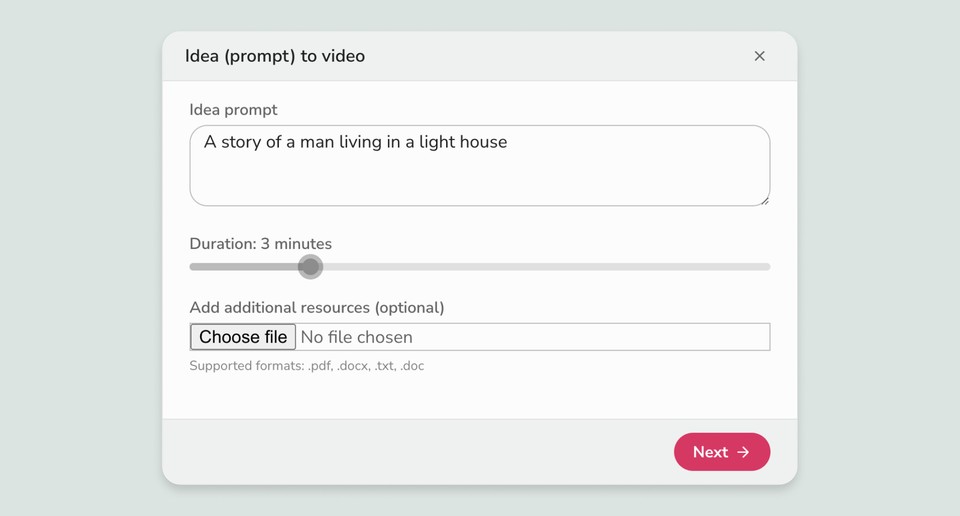
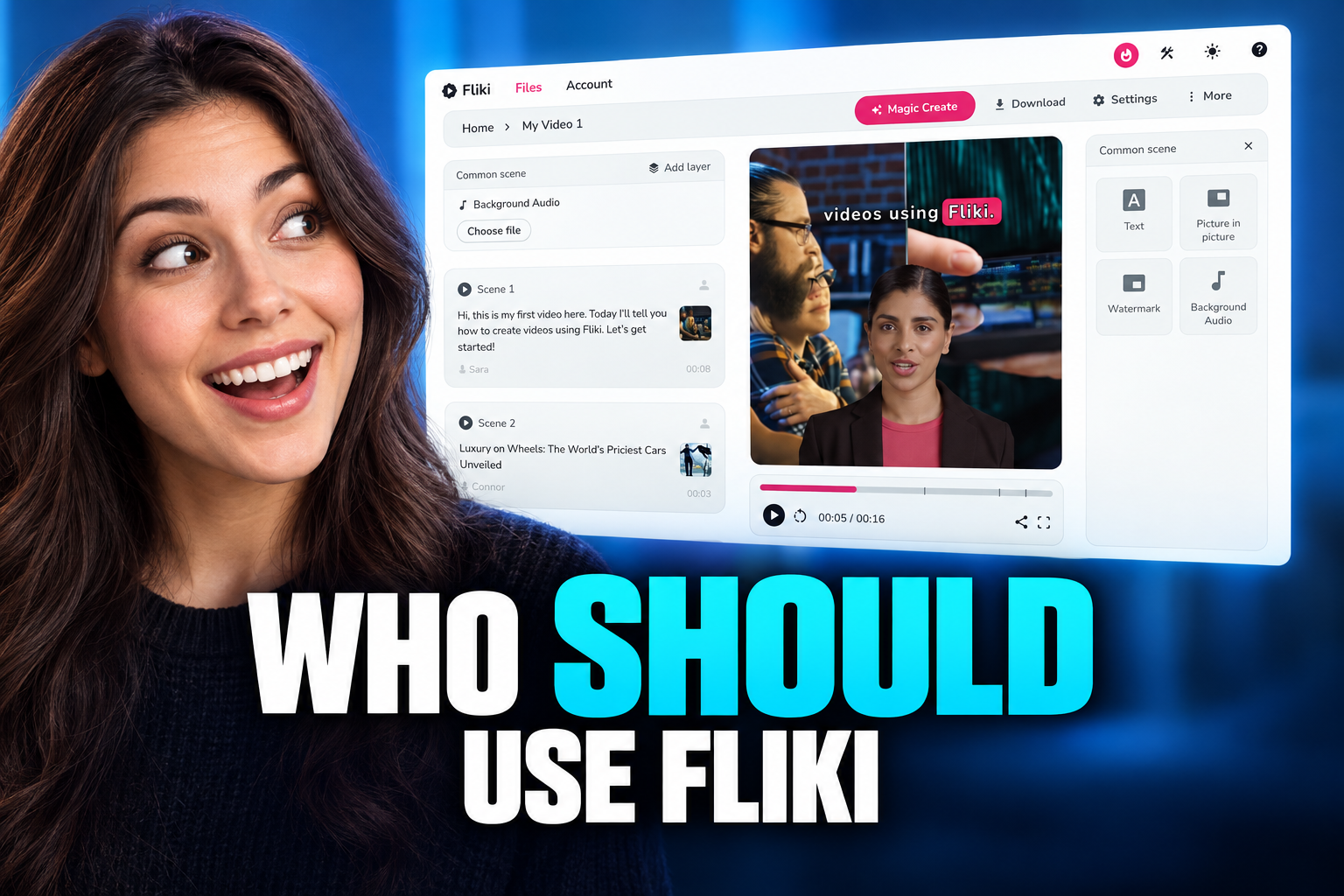
You should use Fliki if you want to generate simple, voiceover-driven videos rapidly from text prompts or scripts without manual editing. You should skip Fliki if you require timeline-based control, advanced visual effects, or bespoke animation styles. This platform focuses heavily on converting written content like blog posts, scripts, or product descriptions into social media-ready clips. Understanding where its automated workflow succeeds—and where it falls short—will save you hours of frustration and unnecessary subscription fees. You can read more details in our Fliki Review 2026: Pricing, Credits and Who It's For. Instead of traditional timeline video editing, users build scenes through text blocks, selecting AI voices and matching stock footage. This shifts the focus from design skills to script curation.
The Script-to-Video Creation Workflow
Fliki operates entirely around a text-to-speech engine linked to a visual storyboard. Instead of importing raw footage onto a timeline, you begin by typing or pasting your script into text blocks. The software automatically splits your text into distinct scenes, assigning a synthetic voice and suggesting stock media for each segment. This approach turns video creation into a writing exercise. Writers, bloggers, and educators can build finished media assets without opening complex editing suites. Because the voiceover drives the pacing, the visual clips automatically adjust to match the duration of the spoken text, saving hours of manual timing. For those transitioning from classic software, this structure requires a major shift in mindset. You cannot easily drag a clip to stretch its duration independent of the audio. If you want a visual to display longer, you must write more text or insert a deliberate pause into the scene settings.
Who Benefits Most From Fliki's Automated Toolset
Content creators who need high-volume output find great value in this automated approach. Social media managers producing daily short-form videos for TikTok, YouTube Shorts, or Instagram Reels can turn single articles into dozens of visual posts quickly. This speed allows for rapid testing of different ideas without a heavy time investment. Digital marketers and business owners trying to build a basic video presence also benefit. If you do not have the budget for a dedicated production team, this platform provides a straightforward path to acceptable content. The automated subtitle generation and vast library of AI voices make localization and translation straightforward tasks. Bloggers looking to repurpose written essays into visual formats will find the transition seamless. By pasting a URL, the tool can summarize the main points and construct a rough storyboard draft automatically. This saves significant effort when trying to capture traffic on visual search platforms. Our comprehensive Fliki Review 2026: Pricing, Credits and Who It's For outlines how these specific workflows fit different creative budgets.
Who Should Skip Fliki for Traditional Editors
Professional filmmakers and advanced videographers should steer clear of this automated system. If you need precise color grading, multi-cam editing, or custom keyframe animations, the structured interface will feel incredibly restrictive. There is no traditional timeline, meaning you cannot layer tracks or fine-tune transitions with micro-second precision. Brands requiring highly unique, bespoke visual identities should also look elsewhere. Because the system draws heavily from standard stock libraries, videos can sometimes look generic or similar to other automated content online. If your audience expects hand-crafted animations or custom-shot footage, relying solely on AI curation may dilute your brand value. Users who want full control over character movements, custom physics, or intricate lip-syncing will find the options lacking. While the synthetic voices are highly advanced, matching them to specific, expressive human actions on screen remains a challenge. For these detailed projects, standard editing platforms remain the superior choice.
Comparing Automated Creation and Traditional Editing
Choosing between these two philosophies depends on your specific production goals. Automated platforms prioritize speed and accessibility, whereas traditional suites focus on precision and creative freedom. Understanding these core differences ensures you do not waste resources on the wrong software model. Below is a comparison of how automated text-to-video tools differ from standard editing software: - Aspect: Visual Control: Fliki matches stock assets to text blocks automatically, while traditional editors require you to place and cut every video clip manually on a multi-track timeline. - Aspect: Voiceover Production: Fliki generates synthetic voiceovers instantly from typed text, while traditional editing requires recording external voice talent and syncing the audio tracks by hand. - Aspect: Learning Curve: Fliki requires almost no technical training to produce a basic video, while traditional suites demand significant time to master keyframes, color wheels, and audio mixing. - Aspect: Asset Sourcing: Fliki includes built-in access to media and music libraries directly inside the editor, while traditional workflows require sourcing, downloading, and importing external assets. This comparison shows that speed comes at the expense of creative flexibility. If your priority is rapid experimentation and scaling your content output, automated systems are highly efficient. However, if your video relies on a highly specific artistic vision, the traditional path remains necessary.
Step-by-Step Guide to Creating Your First Video
Working within a text-centric interface requires following a structured sequence to achieve the best results. By setting up your project correctly from the start, you avoid having to make major structural changes later. Here is how to construct a complete video asset using the core workflow. 1. Select your target aspect ratio. Choose between vertical, square, or landscape formats depending on where you plan to publish your video. 2. Input your written script. Paste your pre-written text or use the automated prompt tool to generate a starting script directly within the editor. 3. Choose a synthetic voice. Browse the voice library to select a narrator that matches the tone and dialect of your target audience. 4. Refine the automated visual matches. Review the stock clips selected by the AI and replace any irrelevant assets with your own uploaded files. 5. Customize your subtitle styling. Adjust the font, size, and color of the on-screen captions to match your personal brand design. 6. Export your final media. Render the completed file once you are satisfied with the alignment of the audio narration and visual clips. Following these steps ensures your final product looks polished and coherent. By focusing first on the script and narration, the rest of the visual elements naturally fall into place, allowing you to build videos in a fraction of the time traditional editing takes.
Deciding Which Tool to Choose
Ultimately, your choice hinges on your workflow requirements rather than finding the single objective best tool. If your primary bottleneck is time and voiceover recording, an automated text-to-video workflow is the ideal solution. It removes the technical friction of editing, letting you focus entirely on your message and distribution strategy. Conversely, if your project relies on capturing real-world footage, conducting complex interviews, or creating custom graphics, you will quickly outgrow automated templates. In these scenarios, investing your time in traditional, timeline-based software will yield far better artistic and professional results. For a deeper look into how these features translate to daily use, refer to our detailed Fliki Review 2026: Pricing, Credits and Who It's For. This will help you weigh the credit consumption system against your planned monthly video output before making a financial commitment.
Frequently asked
As an Amazon Associate I earn from qualifying purchases. This does not affect the price you pay. Affiliate disclosure