Is Fliki Free? What Its Free Plan Includes
Fliki has a free plan for trying its text-to-video workflow, but limits on credits, voices, exports and branding make it better suited to drafts than finished professional videos.
Some links are affiliate links: we may earn a commission if you sign up or buy through them, at no extra cost to you.
On this page9 sections
- 1The short answer
- 2Is Fliki Free, and What Does the Free Plan Include?
- 3Credits, Video Length and Export Limits
- 4AI Voices and Language Options on the Free Plan
- 5Watermarks, Stock Media and Visual Quality
- 6How to Test Fliki Without Wasting Free Credits
- 7Free Fliki Versus Paid Plans
- 8Who Is the Fliki Free Plan For?
- 9Frequently asked
The short answer
- Fliki provides a free tier with monthly video creation credits and standard text-to-speech voices.
- Free exports carry a prominent Fliki watermark and are capped at lower video resolutions.
- Access to premium media assets and realistic AI voices requires upgrading to a paid tier.
Yes, Fliki is free to use through its free plan. It lets you try text-to-video creation, standard AI voices and basic editing without paying. However, the plan has limited monthly credits and export options, and free videos carry Fliki branding. Plan details can change, so confirm the current limits before starting a project.
The free plan is most useful for learning how Fliki turns a script into narrated scenes. You can assess the editor, compare standard voices and prepare a short draft before deciding whether the service suits your workflow.
It is less suitable for regular publishing because its restrictions affect output quality, branding and production volume. Here is what the Fliki free plan includes, where its limits appear and what may prompt an upgrade.
Is Fliki Free, and What Does the Free Plan Include?
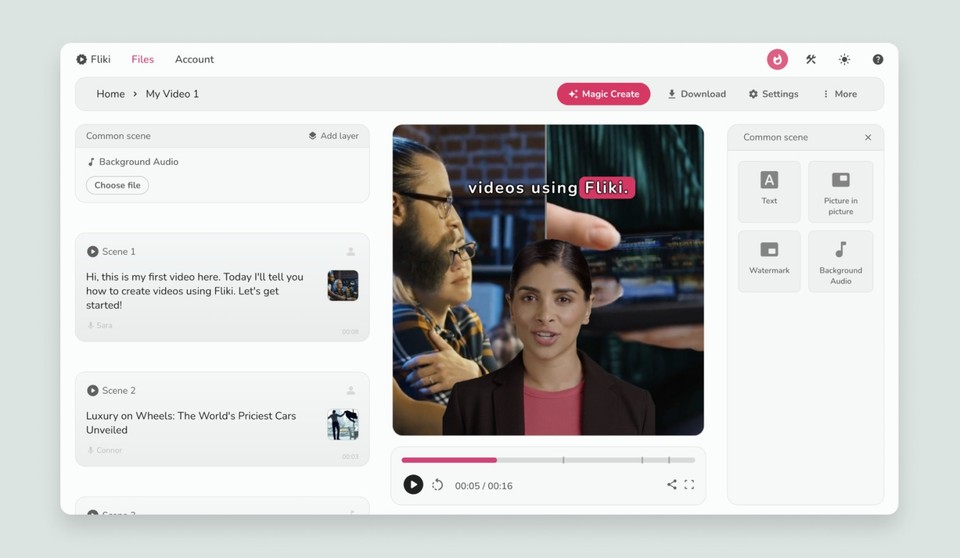
Fliki offers an ongoing free tier rather than requiring payment before you can explore the editor. It provides access to the core text-to-video workflow: add a script, divide it into scenes, choose an available voice, match visuals to the narration and generate an export. That is enough to understand how the platform assembles a video and whether its editing model feels practical.
Usage is governed by a recurring allowance, commonly described through credits or generated minutes. The exact allowance and feature list may change, so check Fliki’s current plan page before budgeting a recurring production schedule. The free plan is designed mainly for evaluation and light experimentation, not unrestricted video creation.
Free accounts also face constraints around voices, output quality, video length, media and branding. Those limits matter less for a private draft than for a public-facing video. If you need a broader comparison of the available tiers, see our Fliki pricing and credits review.
Credits, Video Length and Export Limits
Fliki uses a credit-based system in which generation consumes part of your plan allowance. This means editing text and arranging a project are not the only considerations: generating narration or finished content can reduce the amount available for later projects. Repeatedly regenerating scenes while experimenting may therefore use the free allowance faster than expected.
A practical approach is to prepare the script outside Fliki, proofread it and decide where each scene should begin before generating anything. This reduces avoidable revisions. Preview pronunciation, pacing and scene order where the interface permits, then regenerate only the sections that need correction.
Free-plan restrictions may also apply to individual video duration and export quality. Treat the plan as a way to create short proofs of concept, sample scenes or internal drafts, rather than assuming it can support long-form production. Because plan limits can be revised, verify the current credit allocation, maximum duration and resolution directly with Fliki before beginning a time-sensitive project.
AI Voices and Language Options on the Free Plan
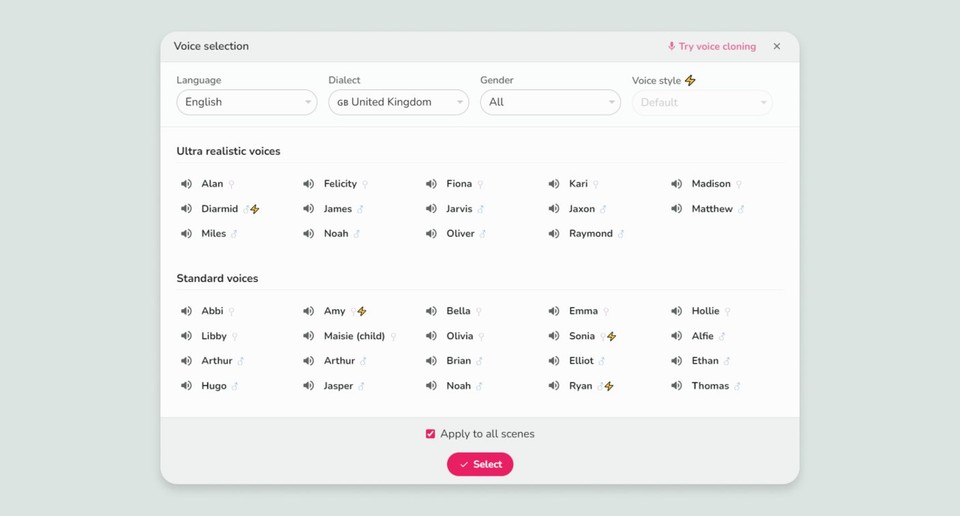
Voice generation is central to Fliki. The free plan offers standard AI voices, but access to the service’s more advanced or premium voices is restricted by plan. This distinction can affect naturalness, expression and the range of voices available for a particular language or accent.
For an initial test, choose a short passage that includes names, numbers and any specialist terms your videos commonly use. That sample will reveal more than a generic sentence because it shows how the voice handles pronunciation, pauses and emphasis. Use punctuation and shorter sentences to guide pacing, then preview the result before generating the full project.
Language support and voice availability are not identical. A language may be supported while only some voices in that language are included with a free account. Check the voice label and plan requirement inside the editor before building a project around a particular narrator. Our full Fliki review explains how voice access fits alongside credits and other plan differences.
Watermarks, Stock Media and Visual Quality
Free exports include Fliki branding, which is one of the clearest differences between a trial project and a polished deliverable. A watermark may be acceptable for testing, classroom exercises, storyboards or internal review. It is more distracting on public videos where consistent visual identity matters.
The available stock media and visual options also vary by plan. Free users can assemble scenes with included assets, but some media and advanced features may require a paid tier. Before generating an export, review each scene for relevance, cropping and repeated footage. Automatically selected imagery can be broadly related to a sentence without accurately representing its meaning.
Export quality is another factor to check. Resolution restrictions can be difficult to judge inside a small editor preview, so view a sample export at the size and on the device where the final video would normally appear. The watermark and output limits are often the main upgrade triggers for users who have finished evaluating the workflow.
How to Test Fliki Without Wasting Free Credits
Start with a representative script rather than a throwaway sentence. A useful test might contain an opening hook, two or three scene changes, a difficult name and a closing line. Keep it short enough to preserve your allowance while still reflecting the kind of work you expect to produce.
First, draft and proofread the script in a separate document. Second, divide it into concise paragraphs so each block can map cleanly to a visual scene. Third, choose an aspect ratio that matches the intended destination, such as vertical for short-form mobile video or horizontal for a conventional presentation. Fourth, compare available standard voices using the same passage. Finally, inspect every visual and preview the timing before generating the export.
Evaluate the result on four points: pronunciation, scene relevance, editing effort and export acceptability. A successful free-plan test should answer whether Fliki saves you time, not merely whether it can produce a file. If the workflow suits you but the plan limits do not, compare allowances and features in the Fliki Review 2026: Pricing, Credits and Who It’s For.
Free Fliki Versus Paid Plans
The free plan provides a practical view of the editor, while paid plans expand production capacity and remove some constraints. Typical differences include larger credit allowances, access to a broader voice selection, improved export options, longer project support, additional media choices and removal of free-plan branding. The precise combination depends on the current tier.
Do not choose a plan solely because one sample voice sounds better. Estimate how much generated content you expect to create, how often you revise narration and whether every final export needs to be unbranded. Regeneration can matter as much as finished duration because corrections also consume production capacity under a credit-based model.
For occasional drafts, the free plan may remain sufficient. For frequent public publishing, its credit ceiling, voice selection and branded exports are more likely to become obstacles. The Fliki plan comparison covers pricing, credits and intended users without requiring you to infer the differences from the free tier alone.
Who Is the Fliki Free Plan For?
The Fliki free plan is a sensible starting point for people who want to learn the interface, test script-to-video automation or prepare a rough storyboard. It can also suit students, educators and teams creating private demonstrations, provided the current licence terms permit the intended use and the watermark is not a concern.
It is a weaker fit for creators who publish frequently, need a specific premium voice, require clean branding or produce longer videos. In those cases, the free allowance may demonstrate the workflow successfully without being sufficient for ongoing production. That does not make the free plan unusable; it means its role is primarily evaluative.
Before upgrading, create one realistic sample and record how many revisions it required. Check whether standard voices meet your needs, whether the export looks acceptable on the target platform and whether included media reduces your editing time. Upgrade only if the workflow proves useful and a documented plan limit blocks your next step.
Frequently asked
As an Amazon Associate I earn from qualifying purchases. This does not affect the price you pay. Affiliate disclosure