Is Fliki Worth Paying For? What to Know Before Subscribing
Decide if Fliki fits your workflow. Analyze its script-to-video editor, advanced AI voiceovers, and credit limits to make the right choice.
Some links are affiliate links: we may earn a commission if you sign up or buy through them, at no extra cost to you.
On this page8 sections
The short answer
- Script-first workflows excel at translating blog posts or text prompts into narrated social drafts quickly.
- Media matching limitations mean you will still spend time manually swapping out unrelated stock footage.
- Credit structures require careful planning, as high-definition media and advanced voices deplete monthly limits rapidly.
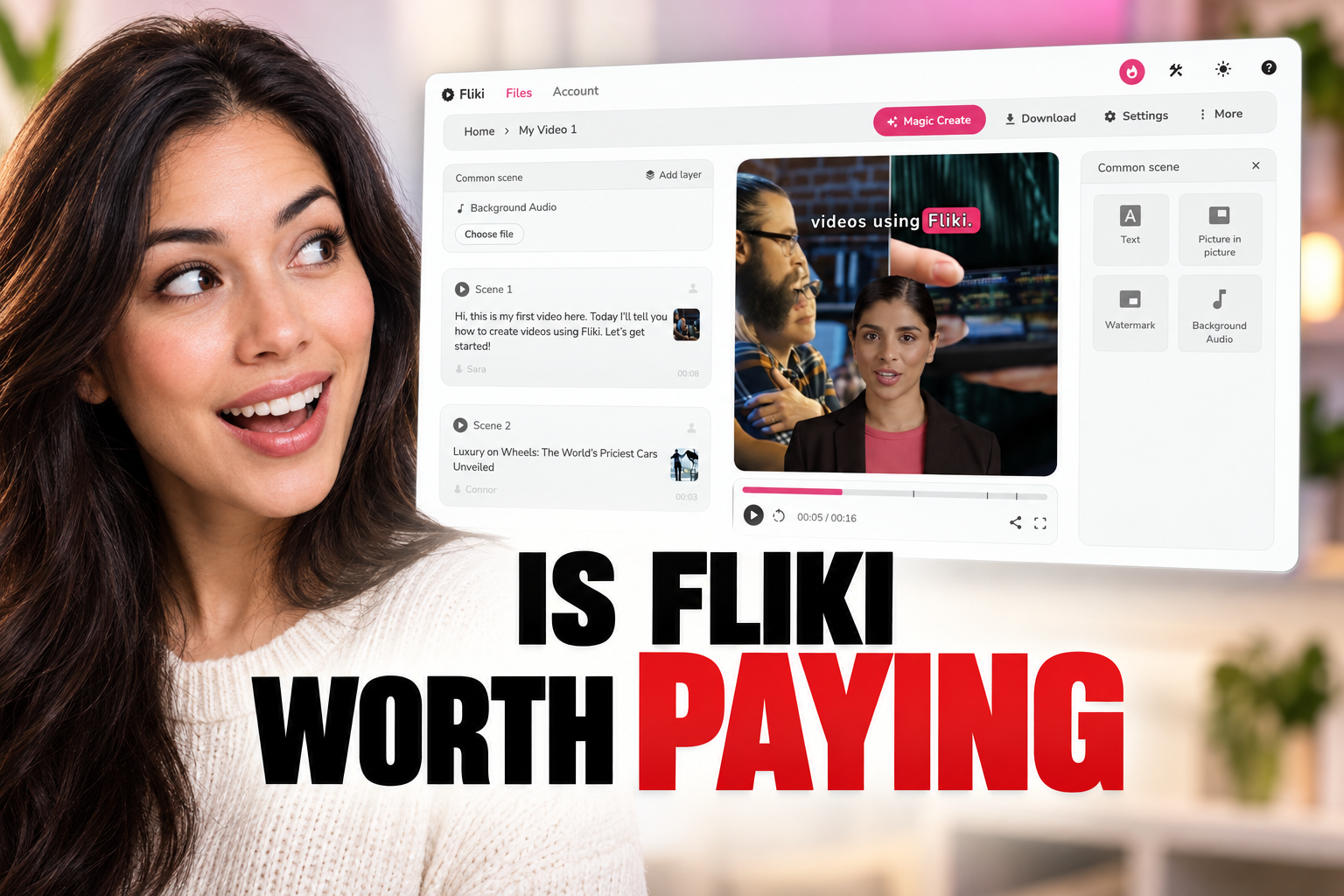
Is Fliki worth paying for? Fliki is worth paying for if you need to turn written scripts into simple voiceover-driven social videos quickly. For those who require advanced scene-by-scene visual control or custom video editing, the platform may feel too limited.
Many creators look to automated tools to bypass the tedious hours spent in traditional editing suites. By pasting a blog post or script, you can automatically pair synthesized speech with stock footage. This approach speeds up publishing schedules, making it highly attractive for high-volume content operations.
However, not all automated generators are built for the same creative goals. Some excel at presenting lifelike avatars, while others focus purely on subtitle styling and stock curation. Deciding whether to subscribe requires analyzing how the software handles voice quality, media matching, and its internal currency system.
The quick version
- Select the new file option
- Enter your topic prompt
- Review the generated script
- Adjust the automated media
- Export the finished project
Evaluating AI Voice Quality and Naturalness
Voice synthesis is the main standout feature of the platform. The application offers a vast library of synthesized voices across dozens of languages and regional dialects. These voices are categorized by emotion, tone, and age, allowing you to tailor the audio to your target audience.
In comparison to older text-to-speech technology, the modern voice models used here sound remarkably human. They capture natural pauses, correct inflections, and realistic pacing. This high-fidelity narration effectively eliminates the need for expensive microphone setups and external voice talent.
Yet, achieving this level of realism often depends on the tier of voice you select. Standard tiers access basic voices that can sound slightly robotic during longer sentences. Choosing premium tiers grants access to ultra-realistic options that sound virtually indistinguishable from human narrators.
If your videos rely heavily on a consistent, professional narrator, investing in these advanced vocal profiles is necessary. Otherwise, the standard voices may distract your audience and lower the perceived quality of your finished content, affecting your viewer retention.
How to Generate Your First Video Clip
Creating a video from a text prompt is the fastest way to understand the automated generation engine. This workflow handles everything from script generation to media placement in a single automated pass. It is ideal for testing how well the artificial intelligence interprets your creative intent before committing your credit budget.
To build your initial project, follow these step-by-step instructions in the creator studio: 1. Select the new file option. Choose your desired aspect ratio and select the script-to-video setting to start. 2. Enter your topic prompt. Type a clear description of your video topic and select the tone of voice you want the AI to adopt. 3. Review the generated script. Edit the text blocks manually to correct any factual errors or adjust the flow of the narration. 4. Adjust the automated media. Click on any video clip that does not fit your message and search the stock library for a replacement. 5. Export the finished project. Preview the entire sequence to check the audio timing before rendering the final high-definition video file.
This step-by-step approach highlights the platform's speed. While the automated engine does the heavy lifting, the manual editing step is critical to ensure the visual elements match your spoken words. You can read more about balancing these automation steps in our comprehensive Fliki Review 2026: Pricing, Credits and Who It's For.
Ultimately, adjusting these assets manually will consume the bulk of your editing time. The system provides a solid foundation, but the fine-tuning is what prevents your output from looking generic. Budgeting time for these manual swaps is essential for high-quality results.
Understanding the Credits and Video Duration
Before purchasing a subscription, you must understand how the platform measures usage. Instead of offering unlimited rendering, the service operates on a credit-based system. Each action, from generating voiceovers to rendering high-definition video, consumes a specific portion of your monthly allowance.
For example, selecting premium voices or choosing high-quality stock clips increases the rate at which credits are deducted. A short social media video can deplete your monthly balance much faster than expected if you utilize advanced features. This makes understanding your exact output needs essential.
Many creators find that their monthly limit translates to fewer finished videos than they initially calculated. When render consumption is high, you must carefully budget your preview steps. Generating multiple draft versions of the same scene will quickly drain your resources before you finish editing.
To avoid running out of generation power mid-month, plan your projects in external text editors first. Only paste your final, polished scripts into the software to minimize rendering waste. For a complete breakdown of how these limits apply to different creator profiles, consult our detailed Fliki Review 2026: Pricing, Credits and Who It's For.
Comparing Fliki to Pictory and InVideo
Choosing the right automated creator depends heavily on how you prefer to build your visuals. The market offers several distinct approaches to text-to-video automation. Comparing these systems helps clarify where your subscription dollars are best spent before making a long-term commitment.
To compare the main players in this category, we can look at how they structure their core workflows: - Interface focus: Fliki utilizes a script-first document editor, Pictory emphasizes article-to-video conversion with heavy subtitle styling, and InVideo uses a highly flexible timeline. - Media libraries: Fliki integrates vast libraries of static images, whereas Pictory focuses on extracting key points from long blog posts, and InVideo relies on advanced AI-generated scenes. - Voice quality: Fliki excels in natural vocal inflections and localized dialects, while competitors often require external integrations to match its native audio realism.
If your primary goal is clean narration with basic supporting visuals, the script-oriented workflow is highly efficient. If you want highly kinetic, heavily captioned videos from existing long-form articles, alternative systems may require less manual adjustment during the final review phase.
Each platform has designed its interface around a specific type of content creator. Visual-heavy creators will prefer timeline-based tools, while audio-first creators will appreciate the document style. Understanding this division prevents buyer's remorse and saves you valuable setup time.
Which AI Video Tool Should You Pick?
Your final choice should rest on your daily production style and your delivery platform. If you are a solo creator building quick informational shorts, voiceover-driven TikToks, or simple presentation slides, Fliki is a strong candidate. Its linear script editor is straightforward and produces exceptionally clean narration.
Conversely, if you are an editor who needs absolute control over transitions, custom B-roll placement, and complex visual effects, a traditional editor with AI assistance is a better fit. Automated script tools cannot replace the nuance of a manual timeline when crafting high-production-value content.
Ultimately, paying for Fliki makes sense if your primary bottleneck is audio recording and basic visual layout. If you already have finished voiceovers and need advanced visual synthesis, you should look toward platforms that specialize in raw video generation rather than voice-first assembly.
Frequently asked
As an Amazon Associate I earn from qualifying purchases. This does not affect the price you pay. Affiliate disclosure