How Much Does Synthesia Really Cost per Month?
Synthesia’s real monthly cost depends on its current plan fee, included video allowance, billing cycle, creator seats and any custom services your team needs.

Some links are affiliate links: we may earn a commission if you sign up or buy through them, at no extra cost to you.
On this page8 sections
- 1The short answer
- 2How much does Synthesia really cost per month?
- 3How video allowances affect the real monthly cost
- 4Billing cycle, renewals and unused capacity
- 5Creator seats and collaboration costs
- 6Custom avatars, voices and enterprise requirements
- 7How to calculate your monthly Synthesia budget
- 8Frequently asked
The short answer
- Synthesia's actual monthly cost scales based on video minutes, selected avatars, and creator seats.
- Standard subscriptions restrict video generation limits, making edit-heavy workflows more expensive over time.
- Custom enterprise contracts are required for advanced features like brand voice cloning and unlimited seats.
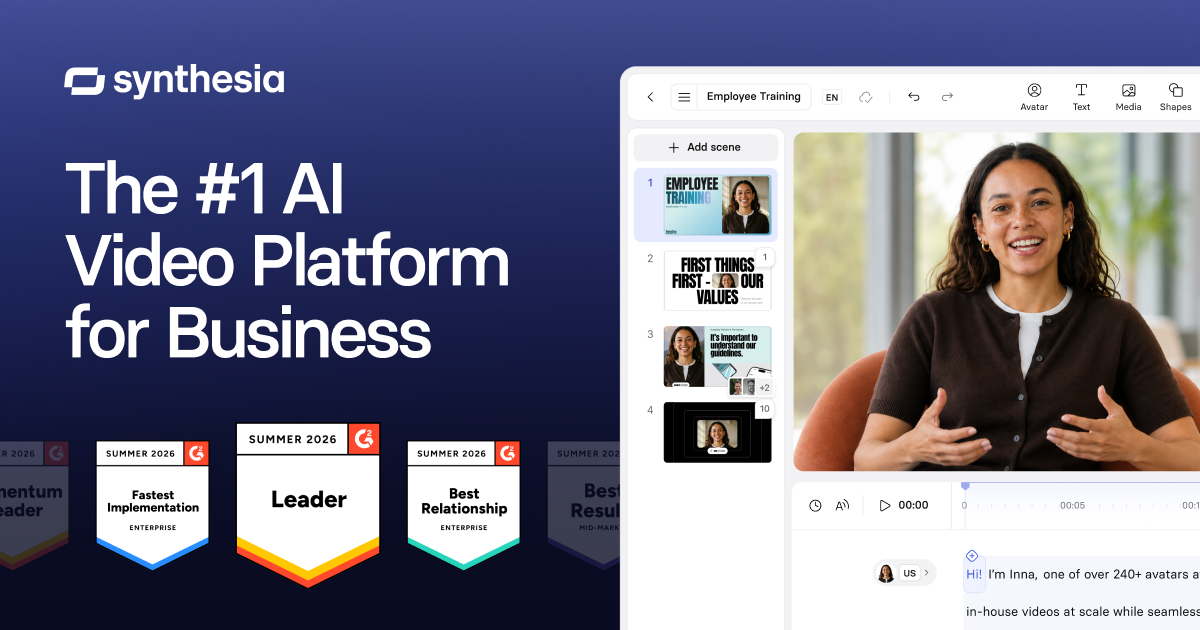
Synthesia’s real monthly cost is the listed fee for your chosen plan, plus any charges for extra usage, creator seats or custom services. There is also a free option, while enterprise pricing is arranged directly. Because prices and plan allowances can change, check Synthesia’s current pricing page and calculate the video capacity and seats you need before subscribing.
How much does Synthesia really cost per month?
The total is not just the headline subscription fee. Your effective monthly cost depends on whether you choose free access, a self-service subscription or a custom enterprise agreement; whether billing is monthly or annual; and whether the included production allowance covers your workload. Team access and custom services can also affect the final amount. Start by checking Synthesia’s official pricing page because plan names, limits and billing terms can change. Then compare that information with your expected output rather than selecting a tier by its advertised fee alone. Our full Synthesia pricing and free-plan review provides broader context on who each option may suit. The practical answer is therefore your base subscription plus any additional capacity, seats or specialist features required for normal production.
How video allowances affect the real monthly cost
Synthesia plans limit how much video you can generate within a billing period. The platform may describe capacity using video minutes or another usage allowance on its current pricing page. This limit matters because a low subscription fee can still be poor value if it does not cover your regular production schedule. Estimate the finished duration of every video planned for the month, then add time for corrections and updated versions. A changed script, timing adjustment or localization pass may require another generation, so finished runtime alone may understate demand. Use available preview tools to check wording, pronunciation, pacing and scene order before generating a final version. This reduces avoidable use of the allowance and makes the monthly cost easier to predict. Confirm the current rules in Synthesia’s pricing and licensing documentation, including how regeneration is counted.

Billing cycle, renewals and unused capacity
Monthly billing offers a shorter commitment, while annual billing usually means paying for a longer subscription period upfront under the terms displayed at checkout. Compare the total amount due, not merely an effective monthly figure shown beside an annual option. Before paying, confirm the renewal date, cancellation process, tax treatment and what happens if you change plans during a billing period. You should also check whether unused capacity expires, carries forward or is handled differently under your selected plan. These details can change and should not be inferred from older pricing guides. If production varies sharply from month to month, flexibility may matter more than the lowest displayed effective rate. If output is stable, a longer billing term may be easier to budget, but only after you have validated typical usage through several projects.

Creator seats and collaboration costs
Collaborating on video projects requires careful seat management. Inside a workspace, users may have different roles and permissions. Sharing a preview with a reviewer is not necessarily the same as giving that person editing access, so count only colleagues who genuinely need to create or modify projects. A plan that works for one producer may become more expensive once several people require creator access. Confirm the number of included editors, the price or availability of additional seats, and whether seat changes take effect immediately or at renewal. Avoid sharing one login between several people; separate accounts support clearer permissions, ownership and security. Map your approval process before subscribing: identify who writes scripts, who edits scenes, who gives feedback and who publishes. For a wider assessment of collaboration features, see our Synthesia review for individuals and teams.
Custom avatars, voices and enterprise requirements
Standard plan access may not include every personalization or governance feature. A custom avatar, sometimes described as a digital twin, is created from an approved person’s recording and requires a consent process. Custom voice options can also require identity verification, suitable source material and separate terms. Do not assume either service is included in a standard subscription: check the current plan comparison or request written confirmation from Synthesia. Larger organizations may also need security reviews, procurement support, workspace administration, contractual terms or higher production capacity, which can place them on custom enterprise pricing. Include internal costs as well as vendor charges in your budget. Recording a spokesperson, securing approvals, preparing scripts and managing localized assets all take staff time. Our detailed Synthesia plan guide explains how these capabilities fit into the broader product offering.

How to calculate your monthly Synthesia budget
Begin with a simple production forecast. First, list every video expected during a typical month and estimate its finished duration. Second, add a revision buffer for script corrections, scene changes and compliance updates. Third, count each language version separately because localization can increase generated output. Fourth, identify how many people need editing access, rather than view-only review. Fifth, note any required avatars, voices, brand controls, templates, exports or governance features and check which plan contains them. Finally, compare the current checkout total and included capacity with this forecast. A useful internal calculation is: subscription charge + required seats + additional usage or services = expected monthly software cost. Also divide that total by your expected number of completed videos to estimate cost per finished video. Revisit the calculation after your first billing cycle using actual usage rather than assumptions.
Frequently asked
As an Amazon Associate I earn from qualifying purchases. This does not affect the price you pay. Affiliate disclosure