Is Synthesia Worth Paying For? When It Is Worth the Cost
Decide if Synthesia fits your production budget by understanding its script-to-video workflow, avatar realism, and translation features.
Some links are affiliate links: we may earn a commission if you sign up or buy through them, at no extra cost to you.
On this page8 sections
- 1The short answer
- 2Drafting the Script and Choosing Your Avatar
- 3Adjusting Voice Inflection and Pronunciation
- 4Localizing Content Across Multiple Languages
- 5How to Systematically Evaluate Synthesia for Your Team
- 6Synthesia vs. Manual Video Production
- 7Which Option Should You Pick for Your Workflow?
- 8Frequently asked
The short answer
- Synthesia excels at standardized, voiceover-driven content like training videos and software tutorials.
- Custom avatars and multi-language translation save significant localization and production costs.
- Complex cinematic storytelling or highly emotional acting still requires human actors and traditional filming.
Synthesia is worth paying for if you regularly produce corporate training, onboarding, or localized multi-lingual presentations, but it is not ideal for highly creative, artistic, or dynamic marketing videos. Paying for Synthesia is highly worth it for teams looking to replace expensive studio shoots with standardized AI-generated avatars.
For businesses that rely heavily on talking-head videos, the cost of booking actors, renting studios, and hiring editing teams can quickly spiral. Synthesia changes this equation by letting you generate realistic presenters directly from a text script in your browser.
However, if your projects require complex physical interactions, emotional depth, or dynamic product demonstrations, the platform's structured environment will feel limiting. Understanding the specific capabilities of each workflow stage is the key to making a smart investment.
The quick version
- Define your primary video goals
- Calculate your current production expenses
- Test your complex industry jargon
- Review the security and licensing terms
- Run a pilot rendering test
Drafting the Script and Choosing Your Avatar
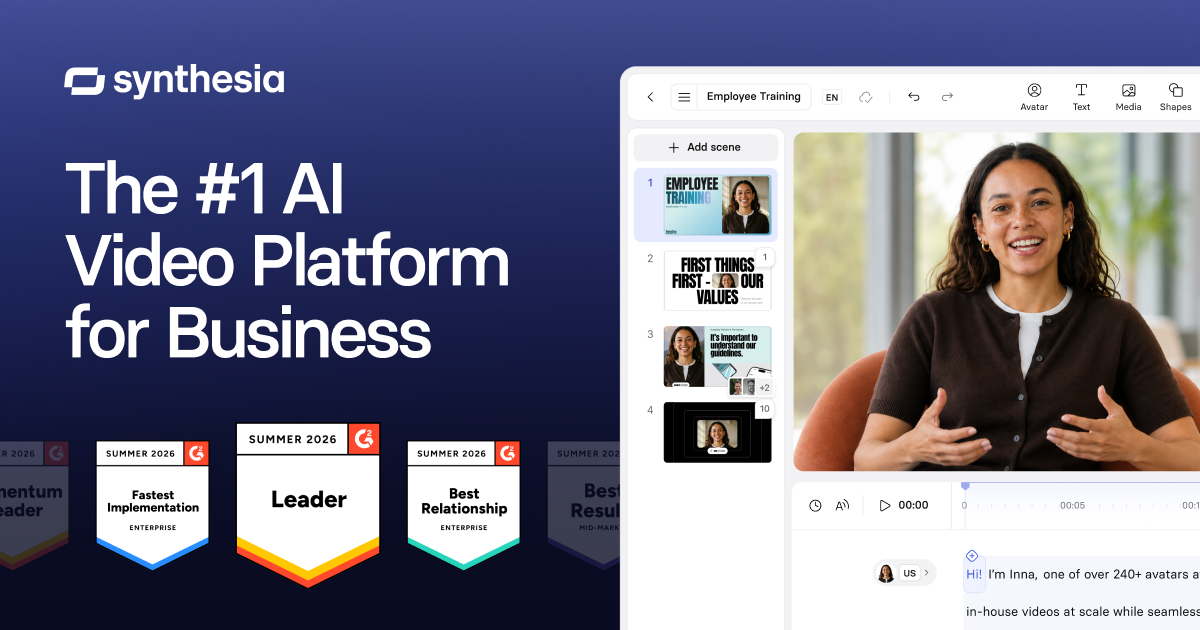
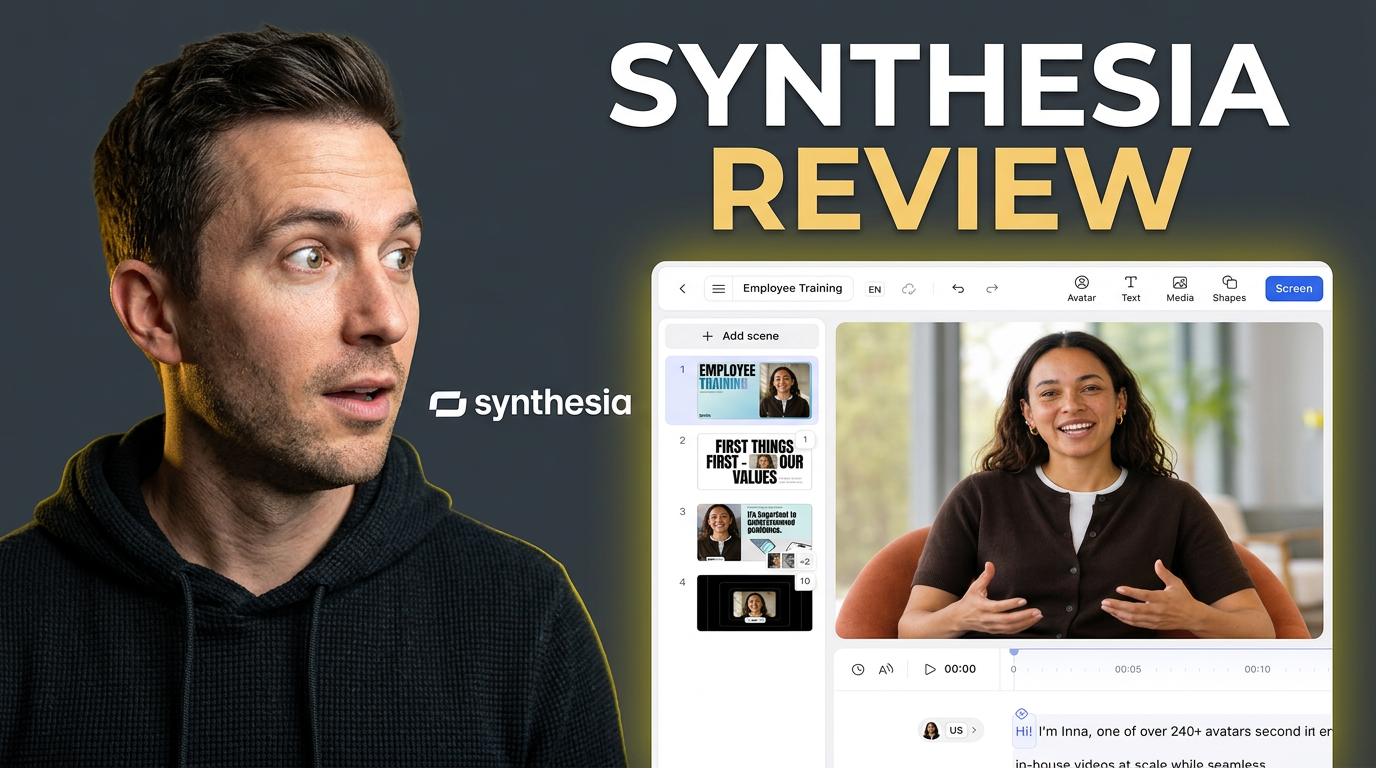
The core interface of the platform revolves around the script editor screen, where you paste your prepared text directly into a text box. Instead of recording audio, you type what you want the presenter to say, and the platform translates this input into synthetic speech. This workflow shifts video creation from a recording process to an editing task.
On the same screen, you select your digital presenter from a library of stock avatars. These avatars are built from real actors who have licensed their likenesses, allowing you to match the visual style of your video to your target audience. You can position the avatar in different frames, such as a circular bubble or a full-body view.
Using a script-to-video workflow minimizes the logistics of coordinating talent schedules and securing studio space. For teams that produce internal communications or customer service tutorials, this screen acts as a unified production suite that bypasses the traditional camera setup entirely. It turns writing into direct video generation.
Adjusting Voice Inflection and Pronunciation
Once your script is in place, the focus shifts to the timeline and audio adjustments screen. Standard synthetic speech can occasionally sound flat or struggle with specialized corporate terminology. To address this, the editor provides manual controls for inserting pauses, adjusting the pacing, and specifying the exact pronunciation of unique terms.
You can access a dedicated pronunciation tool that allows you to type words phonetically, ensuring that brand names or technical terms are spoken correctly. This interface element is crucial because a single mispronounced word can ruin the professional tone of a corporate training module or a product walkthrough.
By fine-tuning these settings, you avoid the tedious process of sending audio back to a voice actor for pick-up recordings. Instead, you click a button to regenerate the audio track instantly. This self-service model gives editors complete control over the final vocal delivery without leaving the browser interface.
Localizing Content Across Multiple Languages
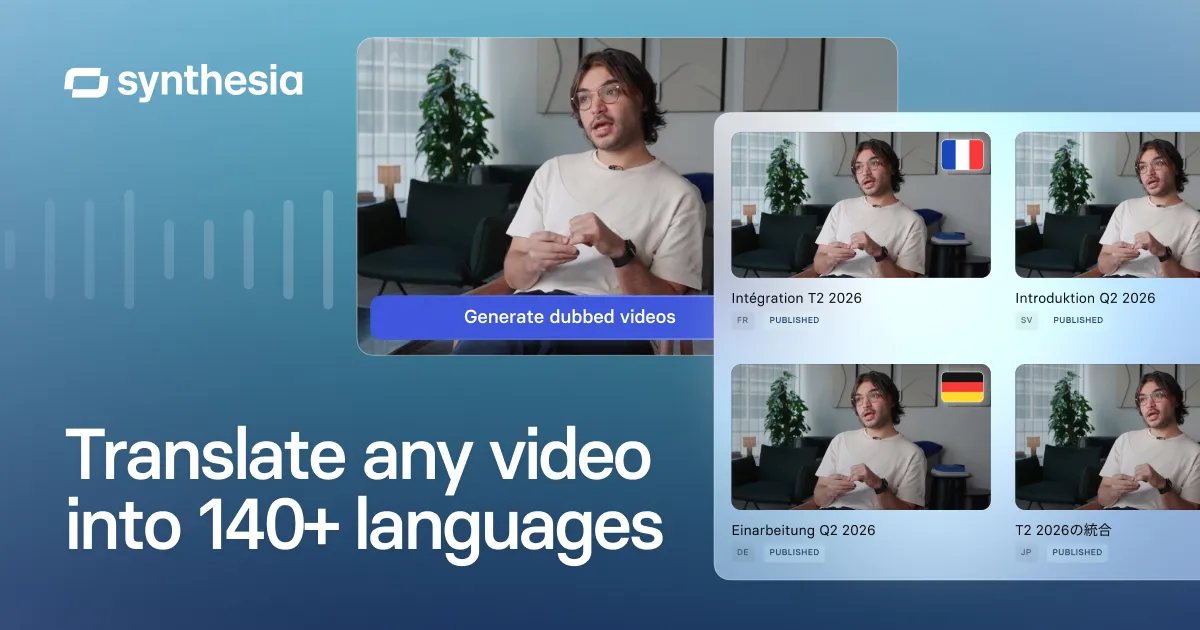
The localization screen is where global organizations find the most immediate return on their software investment. Rather than hiring multiple voice actors for foreign markets, you use the translation menu to duplicate your video into dozens of different languages. The platform automatically translates the script and matches the avatar's lip movements.
Traditional localization requires substantial budgets for translation agencies, voice talent, and re-editing. Here, the process is streamlined into a few clicks, generating a coordinated multi-lingual campaign from a single master file. This makes it feasible to support smaller regional markets that previously could not justify localization costs.
The lip-syncing engine uses generative AI to adjust the avatar's facial expressions to match the phonetic structure of the target language. While not always identical to a native human presenter, the visual alignment is close enough to keep viewers engaged without distracting them with mismatched audio cues.
How to Systematically Evaluate Synthesia for Your Team
Before committing to an annual license, you must determine how the tool integrates with your existing content creation pipeline. Evaluating software requires looking past the visual novelty and focusing on production speed, compliance, and output quality. Follow this systematic approach to determine if the platform aligns with your business goals.
- Define your primary video goals. Determine if your target audience needs straightforward informational content or high-emotion brand storytelling.
- Calculate your current production expenses. Gather historical data on camera rentals, editor hourly rates, and voiceover talent fees to set a baseline.
- Test your complex industry jargon. Input technical scripts into the platform to see how much manual pronunciation editing is required.
- Review the security and licensing terms. Verify with your legal department that synthetic presenters are approved for your public-facing channels.
- Run a pilot rendering test. Measure the time from final script submission to the completed video download to evaluate turnaround speed.
Using a structured evaluation plan prevents businesses from buying software that sits unused due to internal policy bottlenecks or creative limitations. By testing these operational steps early, you ensure the platform will actually solve bottlenecks rather than introduce new administrative hurdles to your media production team.
Synthesia vs. Manual Video Production
Deciding whether to migrate to an automated setup requires comparing the practical realities of software editing against traditional filming. While traditional shoots offer complete creative freedom, they suffer from high scheduling friction. Automated platforms trade artistic nuance for predictable delivery speeds and simplified editing workflows.
Here is how the two approaches compare across core operational categories: - Production Speed: Synthesia drafts videos in minutes, whereas manual production takes days of editing. - Cost Consistency: Synthesia features predictable subscription rates, while manual shoots have variable talent fees. - Content Updates: Synthesia edits existing videos instantly via text, but manual updates require new shoots. - Creative Flexibility: Manual production allows emotional acting, while Synthesia is limited to static avatars.
This comparison shows that the decision is not about which method is objectively superior, but about matching the tool to the task. If your business values rapid iterations and volume over cinematic complexity, automated editing offers clear structural advantages over traditional methods.
Which Option Should You Pick for Your Workflow?
Selecting the right approach depends entirely on your organizational needs and the volume of video your team produces monthly. If you are an instructional designer, customer success lead, or HR manager who must update compliance training and tutorial videos constantly, paying for this software will save countless hours. You can read our detailed Synthesia Review to see how it performs in live environments.
Conversely, if you run a creative marketing agency that relies on emotional narratives, complex product staging, or dynamic physical action, standard avatar platforms will feel too restrictive. These workflows require human nuance that synthetic presenters cannot replicate. For these projects, traditional production remains the industry standard.
Ultimately, the platform is worth paying for if your primary bottleneck is human labor and studio booking times. If your video needs are occasional or highly creative, sticking to traditional video editors or simpler screen-recording tools is the more sensible and cost-effective choice.
Frequently asked
As an Amazon Associate I earn from qualifying purchases. This does not affect the price you pay. Affiliate disclosure